


Ledger Live App: A Practical Guide to Managing Your Crypto Portfolio
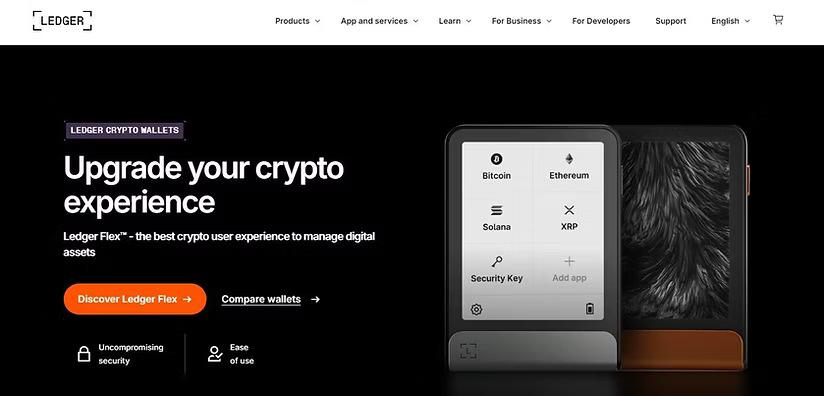
Managing digital assets requires tools that make cryptocurrency transactions easier to organize, monitor, and secure. The Ledger Live App is designed to work with Ledger hardware wallets, providing a centralized interface for managing supported crypto assets. Users can connect their Ledger device, view portfolio information, manage accounts, and interact with supported blockchain services through the application.
What Is the Ledger Live App?
The Ledger Live App is software developed for users of Ledger hardware wallets. It provides an interface through which users can manage cryptocurrency accounts while keeping private keys protected by compatible Ledger hardware devices.
Depending on the supported asset and service, users can use the application to check balances, receive cryptocurrency, send transactions, and explore additional features. The application is available across supported desktop and mobile platforms, allowing users to manage their accounts from compatible devices.
How the Ledger Live App Works
The basic workflow combines the Ledger hardware wallet with the application. After installing the Ledger Live App, users can connect and configure their Ledger device. The hardware wallet remains responsible for securing private keys, while the application provides the interface for viewing accounts and preparing transactions.
When sending cryptocurrency, transaction details can be reviewed through the application and confirmed directly on the connected Ledger device. This separation between the software interface and hardware-based transaction approval adds an additional security layer.
Key Features of Ledger Live
The Ledger Live App offers several functions intended to simplify cryptocurrency management.
Portfolio Management: Users can monitor supported crypto accounts and review balances from one interface.
Transaction Management: The application allows users to prepare supported cryptocurrency transactions, review details, and authorize them using their Ledger device.
Asset Support: Ledger Live supports numerous cryptocurrencies and blockchain networks, although availability can vary by device, application version, and network.
Account Organization: Users can create and manage different supported accounts, making it easier to separate assets and track holdings.
Additional Services: Depending on the user's region and supported assets, Ledger Live may provide access to services such as staking, buying, swapping, or other blockchain-related functionality.
Getting Started
Before using the Ledger Live App, users should obtain their Ledger hardware wallet from an appropriate source and install the application through Ledger's official distribution channels. During setup, users should carefully follow the device instructions and protect their recovery phrase.
The recovery phrase is particularly important because it can provide access to cryptocurrency accounts. It should never be entered into websites, messages, forms, or applications that request it unexpectedly. Users should also avoid sharing their recovery phrase with anyone.
After setup, users can add supported accounts and connect their hardware wallet when necessary. The application can then display relevant account information and provide available management options.
Security Considerations
Security is an essential part of cryptocurrency management. The Ledger Live App should always be downloaded from an official source, and users should keep the application and Ledger device firmware updated when appropriate.
Users should carefully verify transaction information before approving it on their hardware wallet. Cryptocurrency transactions can be irreversible, so checking the destination address, network, and amount is important.
Phishing attempts can imitate legitimate wallet applications or support services. Users should be cautious with unexpected messages, websites, downloads, and requests for recovery phrases or private information.
Managing Crypto More Efficiently
For people using Ledger hardware wallets, the Ledger Live App can provide a convenient way to organize supported digital assets without requiring users to interact with multiple wallet interfaces for basic account management. Its combination of portfolio visibility, transaction tools, and hardware-based confirmation creates a practical workflow for everyday crypto management.
However, supported features can change over time, and availability may differ depending on the cryptocurrency, network, country, device, and service. Users should therefore check current official documentation before using a specific feature.
Final Thoughts
The Ledger Live App serves as an interface between Ledger hardware wallets and supported cryptocurrency services. It can help users monitor balances, manage accounts, review transactions, and access selected blockchain features while keeping transaction authorization connected to a hardware device. For secure crypto management, users should combine the application with careful transaction verification, official software sources, and strong protection of their recovery phrase.


 English
 Arabic
 Français
 Español
 Português
 Türkçe
 Dutch
Dutch
 Italiano
 Russian
 Romaian
 Portuguese (Brazil)
 Greek
Greek