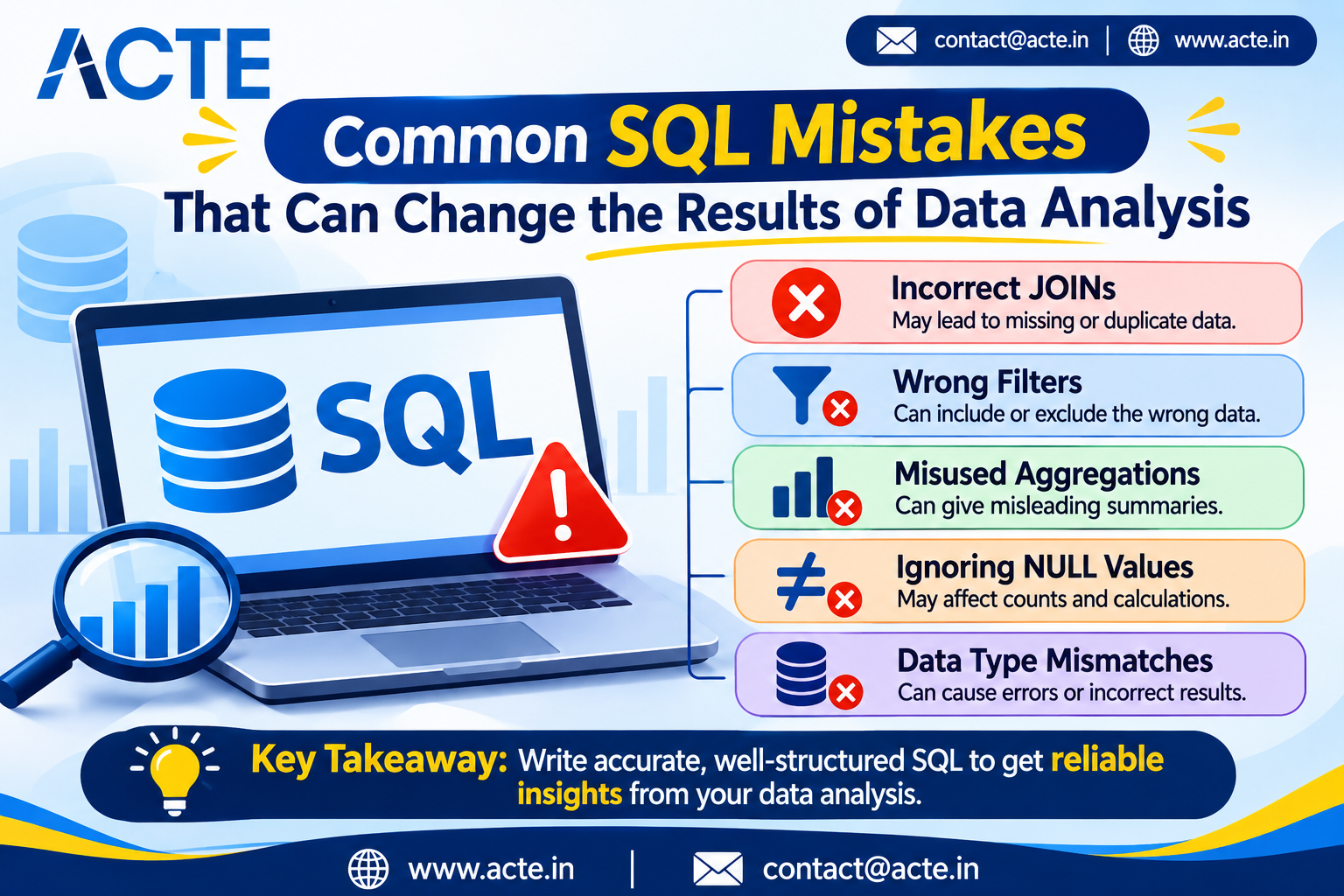
SQL Errors That Can Influence the Accuracy of Data Analysis

SQL is an important technology for analysing information stored in databases. It enables analysts to retrieve records, apply filters, combine tables, and calculate business metrics efficiently. When queries are written correctly, they help organisations understand trends, monitor performance, and make informed decisions. However, small SQL errors can affect the accuracy of the results and lead to incorrect interpretations. Problems involving filtering conditions, joins, calculations, duplicate entries, missing values, and date ranges can all influence analytical outcomes. Understanding these mistakes allows data analysts to improve query quality, validate their findings, and produce reports that support reliable decision-making.
1. Using Incorrect Filters in SQL Queries
The WHERE clause helps retrieve records that match particular conditions. If these conditions are incorrect, the query may return incomplete data or include records that should have been excluded. For example, applying the wrong date range to a revenue report can produce misleading monthly figures. Logical operators such as AND and OR can also affect results when combined without appropriate parentheses. Analysts should review each condition carefully, test queries using sample records, and confirm that the output meets the reporting requirement. Building a strong understanding of filtering techniques is useful for learners pursuing a Data Analytics Training Course.
2. Selecting the Wrong SQL JOIN
JOIN operations combine information from related database tables. Choosing an unsuitable join can remove important records or generate additional rows that affect calculations. An INNER JOIN returns records that have matching values in both tables, whereas a LEFT JOIN retains all records from the left table, even when no matching record exists in the right table. For example, an inner join between customer and order tables may exclude customers who have not purchased anything. To prevent such issues, analysts should examine table relationships, confirm the join keys, and compare row counts before and after joining datasets. This helps ensure that the combined data represents the intended information.
3. Using Aggregate Functions Without Proper Validation
Aggregate functions are used to summarise information and calculate important metrics. SQL includes functions such as SUM(), AVG(), COUNT(), MIN(), and MAX() for calculating totals, averages, counts, minimum values, and maximum values. Problems arise when analysts select a function that does not match the question being investigated. For instance, counting every order instead of unique customers can overstate the number of customers. COUNT(*) counts rows, while COUNT(column_name) counts non-NULL values in the specified column. COUNT(DISTINCT customer_id) counts unique, non-NULL customer IDs. Analysts should understand these differences and validate calculations before using them in reports. These concepts are valuable for those considering a Data Analytics Course in Chennai.
4. Ignoring Duplicate Entries in Database Records
Duplicate records can increase calculated totals and affect the accuracy of sales, customer, and transaction reports. These entries may appear because of repeated imports, inconsistent source systems, or joins that produce multiple matches. Although DISTINCT can remove duplicate rows from a query result, it should not be used automatically because identical values may represent legitimate separate transactions. Analysts should investigate the source of duplication before removing any records. Checking primary keys, reviewing unique identifiers, and comparing record counts can help identify unwanted repetitions. Proper data-cleaning practices ensure that calculations reflect valid records and reduce the risk of misleading conclusions.

5. Mishandling Missing Values in SQL
SQL represents missing or unknown information using NULL. It should not be confused with zero or an empty string. To identify missing values, analysts should use IS NULL or IS NOT NULL instead of the condition column_name = NULL. Missing information can also influence aggregate calculations because many aggregate functions ignore NULL values. For example, an average calculated from salary records may include only employees whose salaries are available. Analysts should determine why values are missing and select an appropriate method for handling them. Depending on the business context, they may investigate the source, exclude incomplete records with a clear reason, or use a suitable replacement method.
6. Applying GROUP BY and HAVING in the Wrong Way
The GROUP BY clause arranges records into groups for summarisation, while HAVING filters the results of those groups. Errors in either clause can change the meaning of the analysis. For example, grouping revenue by region gives a different result from grouping revenue by both region and product. The WHERE clause filters individual rows before grouping, while HAVING is generally used for conditions involving aggregate results. Confusing their roles can lead to incorrect summaries or missing categories. Analysts should select grouping columns based on the business objective and inspect the results to ensure that the data is presented at the required level of detail.
7. Defining Incorrect Date Ranges and Result Order
Date-related mistakes can affect reports involving monthly sales, revenue growth, customer behaviour, and transaction history. Incorrect date formats or incomplete filtering conditions may exclude relevant records. For instance, a timestamp condition ending at midnight at the start of the final day can omit transactions recorded later that day. Analysts should understand the difference between date and timestamp fields and define boundaries carefully. They should also use ORDER BY whenever a specific result order is required rather than assuming that database records appear in a predictable sequence. Developing practical SQL skills through Data Analytics Training in Bangalore can help learners practise these techniques and identify common query problems.
8. Conclusion:
SQL errors can significantly influence the accuracy of data analysis and the decisions based on its findings. Incorrect filters, inappropriate joins, calculation mistakes, duplicate records, mishandled NULL values, grouping problems, and date-range errors are common challenges that analysts need to understand. Careful query writing, data validation, and systematic testing can help reduce these issues. Analysts should verify calculations, examine table relationships, and compare query results with the original data before preparing reports. Consistent practice with real-world datasets helps build confidence and improve analytical skills. By following these practices, data professionals can produce trustworthy reports and deliver more meaningful insights for business decision-making.