
Introduction
Online examinations have become a common way for schools, colleges, universities, and organisations to assess students and candidates. They allow people to take tests from different locations without travelling to an examination centre. However, conducting exams online also creates concerns about cheating, identity theft, and unauthorised assistance.
To address these concerns, educational institutions use monitoring technology to observe candidate activities during examinations. It helps them identify unusual behaviour and maintain fairness throughout the testing process.
But what exactly can this technology detect? Can it identify someone switching browser tabs, using a mobile phone, or getting help from another person? Understanding these features can help institutions choose the right monitoring solution for their examinations.
Let's explore what online exam monitoring systems can detect and how they work.
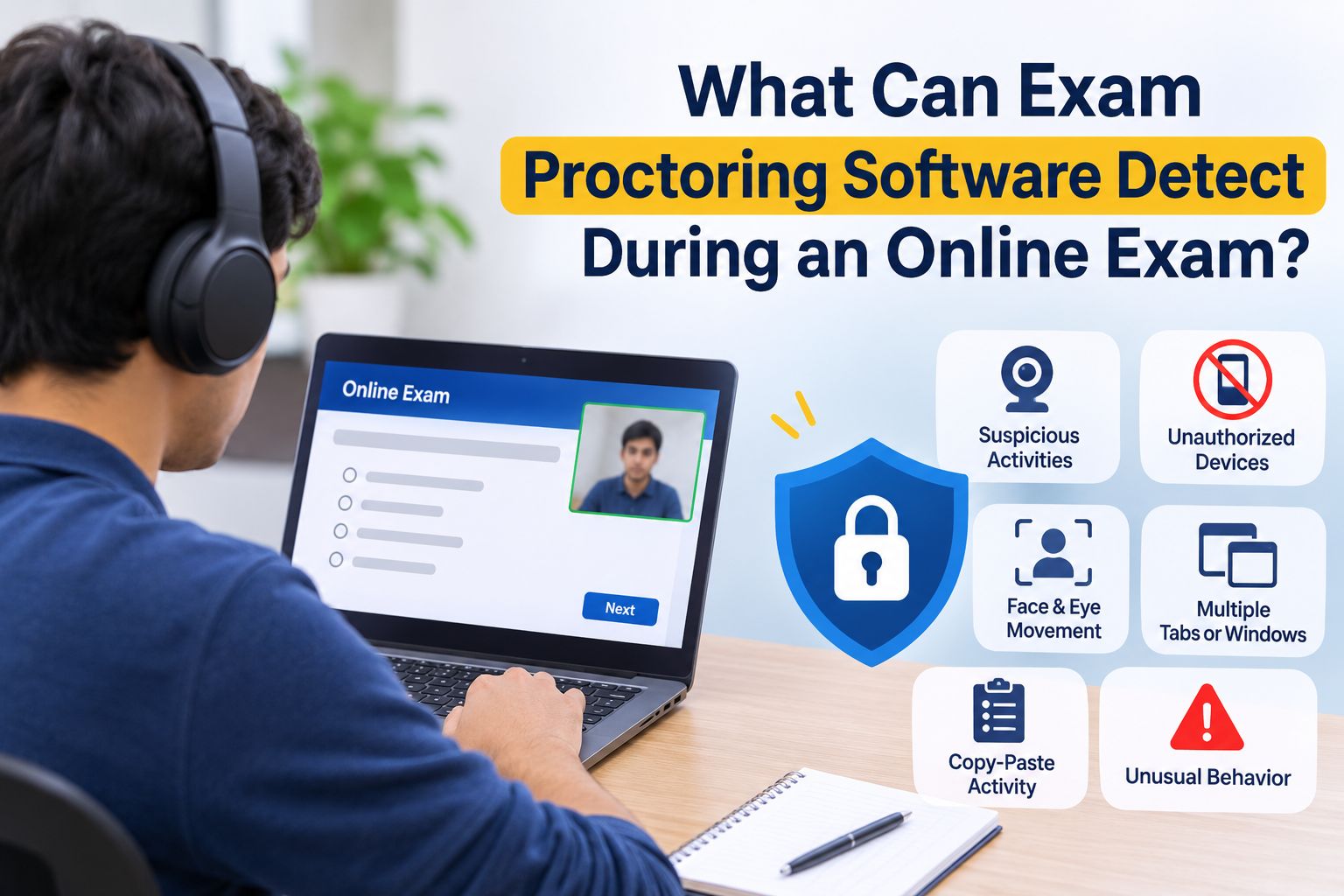
What Can Exam Proctoring Software Detect During an Online Exam?
Modern exam proctoring software uses different monitoring technologies to track candidate activities during an online examination. Depending on its features, it can monitor webcam activity, background sounds, browser usage, and screen behaviour.
Here are some common activities that these systems can detect.
1. Multiple Faces in Front of the Camera
Webcam monitoring helps check whether the registered candidate is taking the examination. Some systems use face detection to identify when more than one person appears in the camera view.
For example, if another person enters the room and sits beside the candidate, the system may flag the presence of an additional face. This helps exam administrators identify situations where someone might be providing unauthorised assistance.
2. Candidate Leaving the Camera View
During an online examination, candidates are generally expected to remain visible on their webcams. If someone repeatedly leaves the camera view, the system may record or flag this activity.
For example, a student might leave their seat several times during the examination. The system can record these events so that an administrator or human proctor can review them later.
3. Background Voices and Unusual Sounds
Microphone monitoring helps identify sounds coming from the candidate's surroundings.
For instance, the system may detect:
-
Another person speaking in the room.
-
Someone giving instructions to the candidate.
-
Repeated conversations during the examination.
-
Unusual background sounds.
These activities may be flagged for review. However, not every background sound indicates cheating. Normal household noise or someone speaking outside the room can also be detected.
4. Switching Between Browser Tabs
Some candidates may try to search for answers online or access study materials while taking an examination.
Browser monitoring helps identify when a candidate switches tabs, opens another browser window, or leaves the examination page.
For example, if a student opens a search engine while answering questions, the system may record the activity and notify the administrator.
This feature is especially useful for closed-book examinations where external resources are not permitted.
5. Unauthorised Applications and Screen Activity
Some monitoring systems can track activities taking place on a candidate's computer screen.
For example, a candidate might try to open a messaging application, access saved notes, or use another program to find answers.
Depending on the system and permissions, it may detect:
-
Opening unauthorized applications.
-
Switching between different windows.
-
Accessing prohibited websites.
-
Using restricted screen-sharing or remote-access applications.
These features help institutions understand what candidates are doing on their devices during examinations.
6. Unusual Eye and Head Movements
Advanced monitoring systems can use webcam-based analysis to observe a candidate's head position and gaze direction.
For example, if a student repeatedly looks towards one side of the room, the system may flag the activity for review.
This can help identify situations where someone might be reading notes placed outside the camera view or looking towards another person for assistance.
However, looking away from the screen does not automatically mean cheating. Students may naturally move their eyes while thinking or reading questions.
7. Mobile Phone Usage
Using a mobile phone during an examination can provide candidates with an opportunity to search for answers or communicate with others.
Some systems can identify visible mobile phone usage through webcam monitoring. For example, if a candidate holds a phone in front of the camera or repeatedly looks down towards a device, the activity may be flagged.
However, monitoring systems cannot guarantee that every hidden device will be detected, particularly when it is outside the camera's view.
8. Candidate Identity and Impersonation
Identity verification is another important part of online examination security.
Some systems use face recognition, identity document checks, or other authentication methods to confirm that the registered candidate is taking the test.
For example, candidates may be asked to show their identification documents before starting the examination. The system can then compare their identity information with the person appearing on the webcam.
If the identity does not match, the system may flag the issue for further investigation.
How Does Online Remote Proctoring Work?
Online remote proctoring allows candidates to take examinations from their homes, offices, or other permitted locations while being monitored through an internet-based system.
Instead of having an invigilator physically present in the examination room, monitoring takes place through digital technologies.
The process generally involves the following steps:
Step 1: Candidate Login and Verification
Candidates log in using their examination credentials. The system may ask them to verify their identity using a photo, webcam, or identification document.
Step 2: Camera and Microphone Check
Before the examination begins, candidates may need to allow access to their webcams and microphones. This helps ensure that the required monitoring devices are working properly.
Step 3: Examination Monitoring
Once the test starts, the system monitors relevant activities such as candidate presence, background sounds, browser usage, and screen activity.
Step 4: Suspicious Activity Detection
If the system identifies unusual behaviour, it may generate an alert or record the activity for further review.
Step 5: Report Generation
After the examination, administrators can review monitoring records and flagged activities to understand whether any examination rules were violated.
The exact process depends on the examination platform and the monitoring settings selected by the institution.
Why Do Universities Need Proctoring Software?
Universities conduct examinations for thousands of students across different courses and programmes. When these examinations take place online, maintaining fairness and checking candidate activities can become challenging.
This is why many institutions consider proctoring software for university examinations.
Here are some important reasons why universities use these systems:
-
Prevent Unfair Practices: Monitoring features help identify suspicious activities and discourage candidates from using unauthorised resources.
-
Verify Student Identity: Identity checks help reduce the chances of impersonation during examinations.
-
Support Remote Examinations: Students can take permitted examinations from different locations without travelling to a physical examination centre.
-
Manage Large Examinations: Institutions can monitor multiple candidates through automated systems and administrator dashboards.
-
Maintain Examination Records: Recorded sessions and activity reports help administrators review examination-related concerns.
-
Save Administrative Effort: Automated monitoring can reduce some of the manual work involved in supervising large online examinations.
Universities should also consider student privacy, device compatibility, internet requirements, and accessibility before selecting a monitoring system.
How Accurate Is Online Exam Monitoring?
Online monitoring systems can identify many activities, but they cannot detect everything or guarantee that every form of cheating will be identified.
For example, a candidate may keep a mobile phone outside the camera's view or use printed notes that the webcam cannot capture.
There is also a possibility of false alerts. A student looking away while thinking, experiencing an internet interruption, or hearing someone speaking nearby may trigger a monitoring alert.
Therefore, institutions should not treat every automated alert as proof of cheating.
Combining AI-based monitoring with human review can help administrators understand the situation before making a decision. Clear examination guidelines and suitable question formats also play an important role in maintaining academic integrity.
How SpeedExam Helps Institutions Conduct Secure Online Exams
SpeedExam is an advanced online exam software designed for educational institutions, businesses, training organisations, and government agencies. It provides examination management and monitoring features that help organisations conduct online assessments.
Its AI-based and live human proctoring options help administrators monitor candidates and identify activities that may require attention.
Some important SpeedExam features include:
-
AI and Live Human Proctoring: Supports automated monitoring and live supervision during examinations.
-
Face Recognition: Helps verify candidate identity and identify multiple faces.
-
Webcam and Microphone Monitoring: Helps monitor candidate presence and surrounding audio.
-
Tab and Screen Monitoring: Tracks relevant browser and screen activities during examinations.
-
Keystroke Monitoring: Helps record relevant typing activity.
-
Candidate Management: Allows administrators to manage candidates and examination schedules.
-
Detailed Reports: Provides examination records and performance information for further review.
SpeedExam also supports different question formats, including multiple-choice, true/false, fill-in-the-blanks, descriptive, coding, and audio-video questions.
Whether a university is conducting semester examinations, an organisation is assessing job applicants, or a training institute is evaluating learners, SpeedExam provides features to manage the examination process in one place.
Visit https://www.speedexam.net/ to explore its online examination and monitoring capabilities.
Conclusion
Online exam monitoring has made it easier for educational institutions to conduct examinations while maintaining better control over candidate activities. Features such as face recognition, webcam monitoring, microphone monitoring, tab tracking, and screen activity detection help identify behaviour that may violate examination rules.
However, no monitoring system is completely accurate. Institutions should combine automated detection with human review to avoid incorrect decisions and provide a fair examination experience.
Choosing a suitable monitoring solution can help universities and other organisations conduct secure, organised, and reliable online examinations.
Frequently Asked Questions
1. Can online proctoring detect cheating?
Yes. It can identify activities such as tab switching, multiple faces, unusual sounds, and unauthorised application usage. However, suspicious activity may require human review.
2. Can proctoring software detect mobile phones?
Some systems can identify visible mobile phone usage through webcam monitoring. However, they cannot guarantee detection of every hidden device.
3. Can online proctoring hear conversations?
If microphone monitoring is enabled, the system can capture background conversations and sounds during an examination.
4. Can proctoring software detect screen sharing?
Some systems can monitor screen activity and identify unauthorised screen-sharing applications, depending on their features and device permissions.
5. Do universities use online exam proctoring?
Yes. Universities and other educational institutions use online proctoring to monitor remote examinations, verify student identities, and maintain examination integrity.
6. Is AI-based proctoring better than human proctoring?
Both have advantages. AI-based monitoring can identify unusual activities automatically, while human proctors can review situations and understand their context. A combination of both can provide better examination supervision.